VST3 cinematic audio processor
UMBRA
Feed it sound. It becomes atmosphere.
A cinematic effect for turning incoming sound into evolving atmosphere.
Public beta 1.12.0. Apple Silicon, macOS 26 or later, VST3 only.
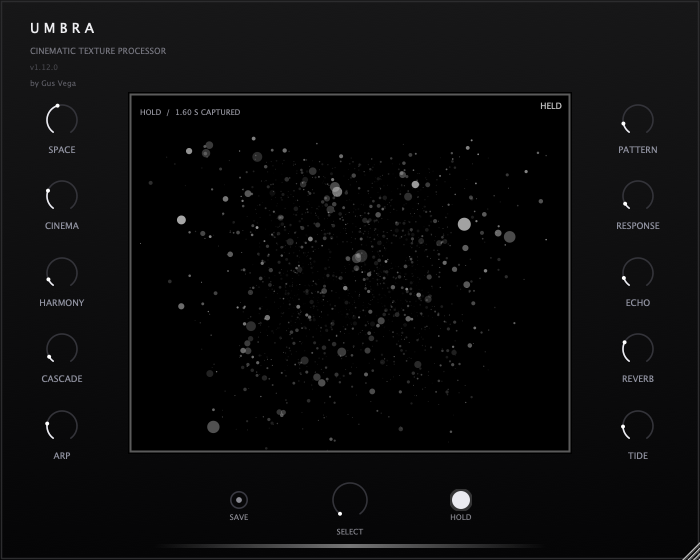
UMBRA guide
Getting started.
Place UMBRA after any instrument or audio source. Begin with the transformation macros at zero, then introduce Space and one other macro while listening.
Version 1.12.0 adds pad-oriented stereo memory, smoother Hold transitions, refined Arp repeats and Pattern accents, plus six included presets. Use Pattern for phrase cells, Arp for short repeats, and Response for answers. Raise several macros together for a denser generated field. Hold captures runtime audio; release it before expecting a finite tail. Captured Hold audio is not restored from a saved project.
Interface version 1.12.0. These notes describe the current build.
Install UMBRA.
The 1.12.0 beta requires an Apple Silicon Mac running macOS 26 or later and a host that supports VST3 audio effects.
- Request the beta download below and unpack the archive. Read the included installation guide.
- Quit your audio host and back up your existing projects. Copy the complete UMBRA.vst3 bundle to ~/Library/Audio/Plug-Ins/VST3/.
- Reopen your host and rescan VST3 plugins. Place UMBRA after an instrument or on an audio track.
This beta is ad-hoc signed and not Apple-notarized. If macOS blocks it, follow the included instructions for this bundle. Keep an older AU component for existing AU sessions; the current download contains VST3 only.
Get UMBRA 1.12.0For help, reply to the delivery email or contact hola@gusvega.dev.